Budget Analysis Report
warning
This is an experimental feature. That means we're still working on finishing it. There may be bugs, missing functionality or incomplete documentation, and we may decide to remove the feature in a future release. If you have any feedback, please comment on the dedicated feedback issue.
What it is
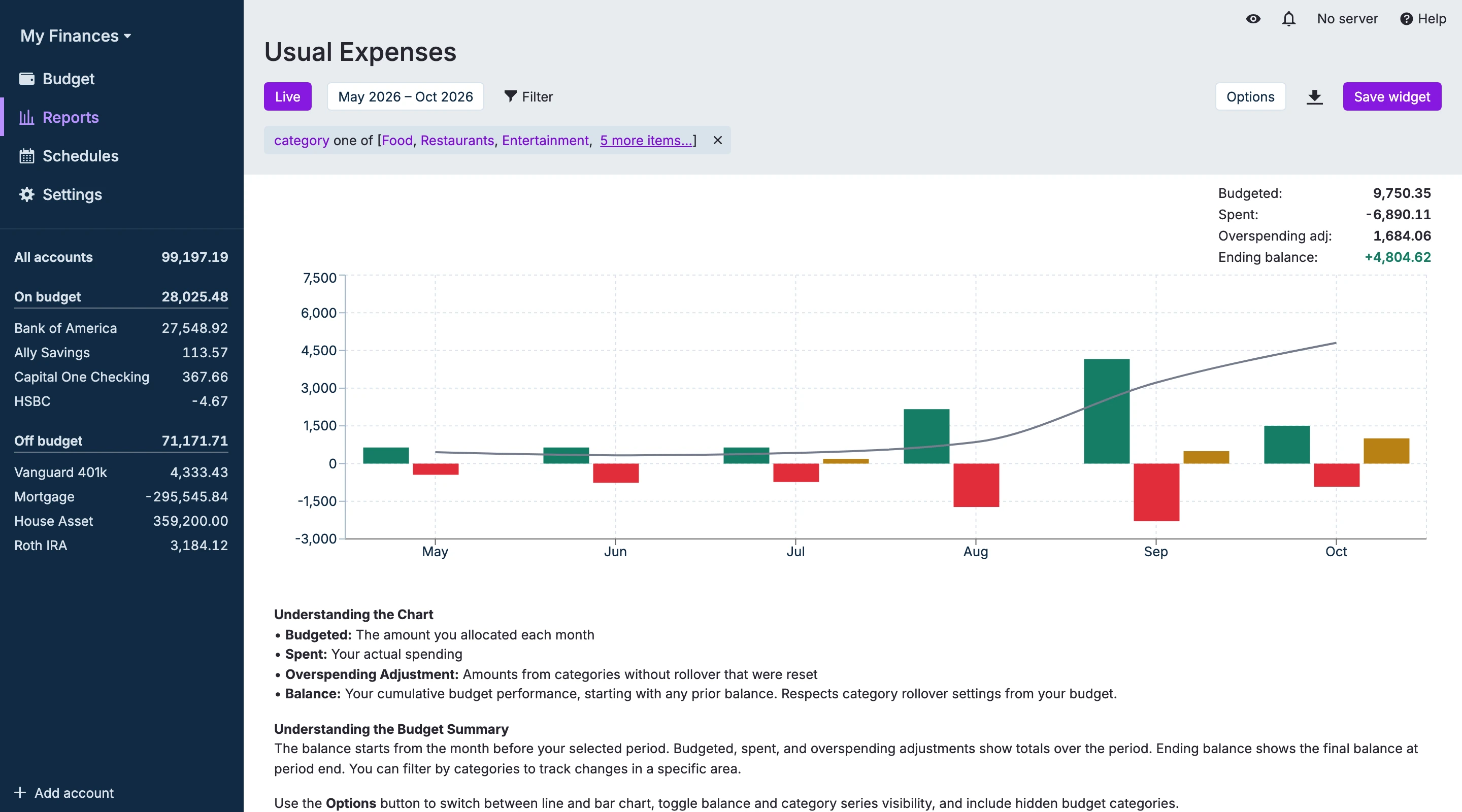
The Budget Analysis is a financial planning tool, that tracks the balance of your budget over time. It tracks four separate series: Budgeted, Spent, Overspending Adjustment, and the cumulative Balance.
Important information
- The report pulls the numbers directly from the Budget page, so it only includes budget categories (no transfers or off‑budget accounts).
- The report's numbers reflect your filtered view, so if you exclude categories or change date ranges, the report updates accordingly.
- Category rollover rules affect negative balances:
- If Rollover overspending is enabled for a category, negative balances carry forward.
- If Rollover overspending is disabled, negative balances for that category are zeroed and recorded as an Overspending Adjustment (aggregated and shown as its own series).
Display options
- Live / Static: toggle a rolling window (auto-updates) or a fixed date range.
- Start / End: pick start and end months.
- Quick ranges: 1, 3, 6 months, 1 year, Year-to-date, Previous year-to-date, All time.
- Filters: use the Filter button → choose Category to include/exclude categories; active filters appear as editable chips.
- Graph type: toggle Line ↔ Bar via the header icon.
- Show/Hide balance: toggle the running balance series.
Quick troubleshooting
- No data: check that budgets and transactions exist in the selected months and that filters aren’t excluding everything.
- Balance looks wrong: verify category rollover settings and transaction categorization.
Related
- Budget page — configure budgets and rollover settings.
- Reports index — other report types and tips.