Notifications
Actual can show you news from the project without leaving the app: the highlights of each release, and occasional announcements from the team. Everything lives on the Notifications page, and a bell in the top bar tells you when something new has arrived.
The Notification Bell
The bell sits in the top bar, next to the Help menu. When there are notifications you haven't seen yet, the bell shows a count of them. Click the bell to open the Notifications page. Opening the page marks everything as read, so the count disappears until something new is published.
The Notifications Page
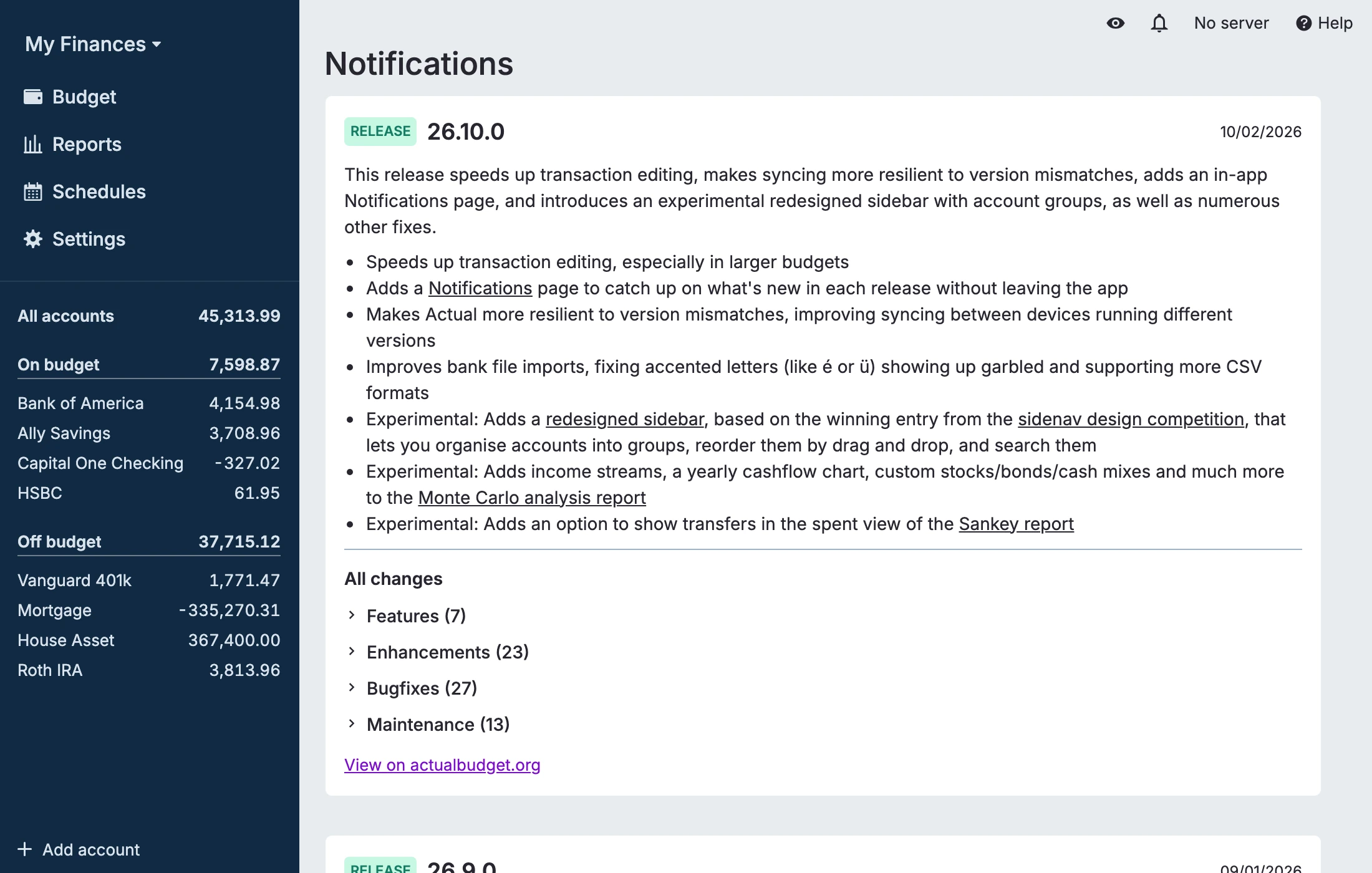
Each notification is shown as a card:
- Release cards summarize what changed in a version of Actual. The card shows the highlights, followed by All changes: the full list of changes grouped into Features, Enhancements, Bugfixes, and Maintenance. Click a group to expand it. A link on the card takes you to the same release announcement on the website.
- Post cards are announcements from the team, such as community news or project updates, with a link to the full post on the blog.
At the bottom of the page you will also find links to the full release notes, the blog, and the community Discord.
If Actual cannot load the notifications, for example because you are offline, the page tells you so and offers a Try again button. Everything else in Actual keeps working.
Release Messages
After you update Actual, a one-time message appears telling you that you are now running a new version. Click See what's new to open the Notifications page and read the highlights of the release you just installed. Closing the message marks that release as read.
Turning Notifications Off
If you would rather not see notifications, untick Show in-app notifications (release notes and announcements) in Settings. This hides the bell, the Notifications page link, and release messages, and it also stops the app from downloading the notification feed (which is fetched from the Actual project's GitHub repository). The setting applies to the device you change it on.